
THE CLAUDE CODE MOD COLLECTION
Claude Code mods.
More you.✳
Discover Claude Code mods that change how you work, play, and create. A better workspace starts with a little customization.
claude — your workspace⌘
~/projects/something-good
✳ Claude Code / made yours
❯ Make this workspace feel like me.
Reading the room…
Context forecastClear skies. Room to think.
24%▁▂▁▃▂▃▄▃▄
❯
Working your tools, your rules
Built for Claude Code Original sources, always Source-linked & curatedYOUR WORKSPACE. YOUR WAY. ↗
THE COLLECTION
Find your next upgrade.
Useful tools. Delightful distractions. A workspace that fits you.
/
Showing 12 mods
● ● ●claude / blast-radius
❯ rm -rf build
◇ Before you proceed
build/index.js 12 KB
build/assets/ 248 KB
● ● ●claude / replay-theater
▶ Replay step 2 / 5
− const greeting = "Hello"+ const greeting = "Welcome"+ return greeting
1 2 3 4 5 Next →


● ● ●claude / model-effort-shortcuts
Stay in the flow.
⌥Eeffort ↑
⌥Pmodel →
your next request, your choice
Model & Effort Shortcuts
Switch model and reasoning effort from your keyboard.
By Richard KuoPublic source

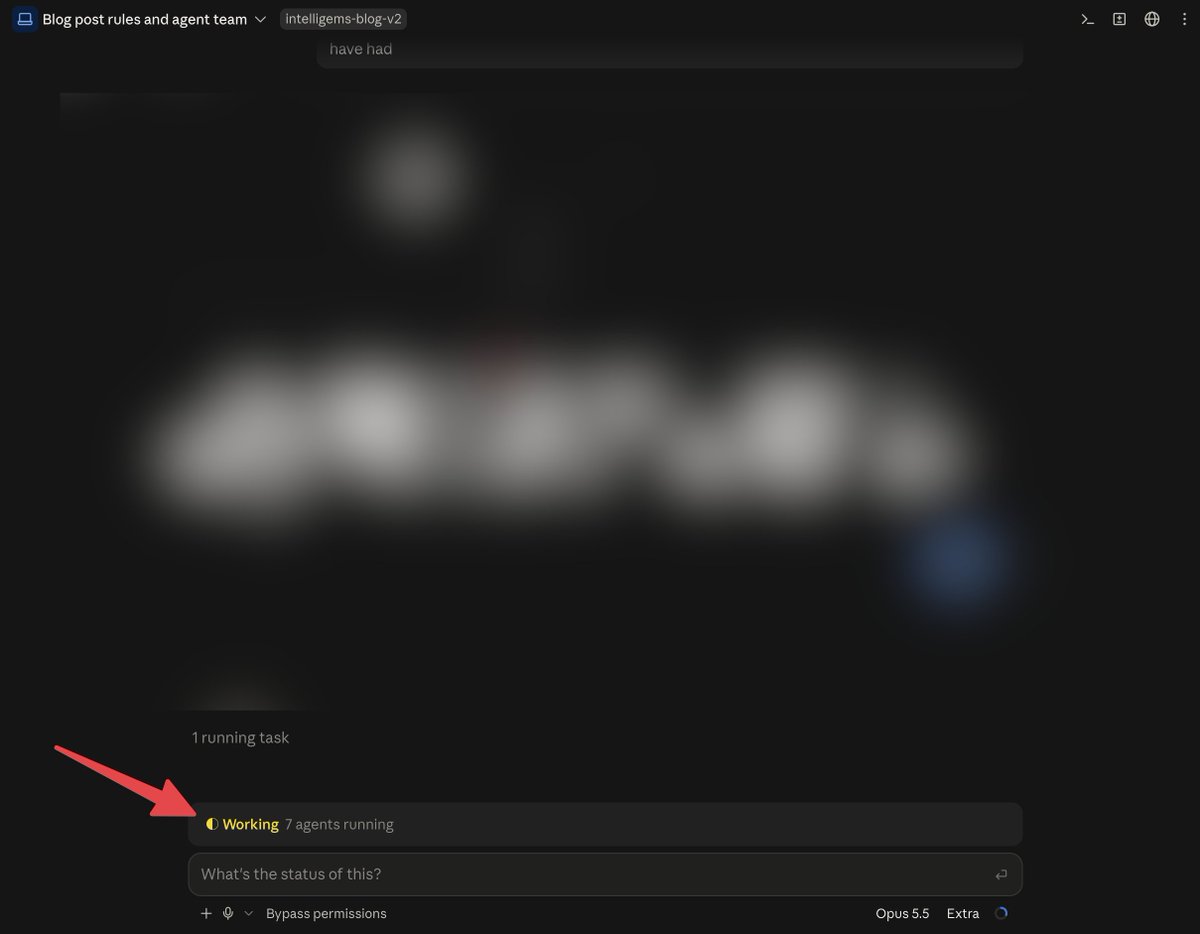
Session Status Banner
Know when Claude is working, done, or waiting for you.
By Victor PaycroDemo only

↳
Public source means a repository and setup instructions are linked. Demo only means a creator has shown the idea, but installation isn’t confirmed.
How we curateCLAUDE CODE CUSTOMIZATION
What are Claude Code mods?
Claude Code mods customize the workspace around your conversations and tool calls. They ship inside plugins and can add interface elements or respond to session events. Instead of changing only what you ask Claude to do, a mod can change what you see while it works: context meters, progress displays, edit replays, ambient scenes, or even a small game.
CC Mods brings original repositories and creator demonstrations together in one searchable directory. Browse by the job you want to improve, open a listing to see what its author describes, and follow the original source for setup. A demo is useful inspiration, but it is not automatically an installable release.
Find a mod for the way you work
Start with a specific friction in your daily session. Want to understand context usage? Look at Context. Want to review the sequence of edits or follow a plan? Explore Workflow. Prefer a different atmosphere or faster controls? Interface is a good starting point.
Context
Keep an eye on context usage and understand what your session is carrying.
↗Workflow
Follow tasks, review changes, and put your working preferences into practice.
↗Interface
Make Claude Code look and feel more like your own workspace.
↗Guardrails
Add visibility and deliberate decisions around supported tool calls.
↗Games
Give the time between prompts a little more personality.
↗How to get started with Claude Code mods
1. Find a concrete use case
Watch the preview and read the features. Compare the mod with the problem you actually want to solve, rather than installing every interesting experiment.
2. Check the original source
A Public source listing links to a repository and documented setup. Read its version requirements, supported interface, configuration, and limitations before copying commands.
3. Follow the author’s installation path
Some mods use a plugin marketplace; official examples can be loaded from a local plugin directory. The install guide walks through both approaches with source-linked examples.
Mods, skills, hooks, and MCP: where each fits
These customization tools solve different problems and can work together. Use this distinction when searching for the right extension.
- Mods
- Customize interface elements and event-driven behavior inside Claude Code. This collection focuses on concrete mod interfaces and creator examples.
- Skills
- Provide reusable instructions and workflows that Claude can use for a task. Start here when you want a repeatable process rather than a new on-screen interface.
- Hooks
- Run configured actions at lifecycle events. Mods can respond to events too, but a hook configuration alone is not necessarily a mod interface.
- MCP servers
- Connect Claude to external tools and data through the Model Context Protocol. Choose these when the missing piece is access to another system.
Claude Code mods: common questions
Are all the mods in this directory available to install?
No. Public source entries have a linked repository and author setup instructions. Demo only entries link to an original demonstration, but we have not confirmed a public installation path. Use the public-source filter if you only want entries with documented setup.
Where do Claude Code mods display their interface?
The official documentation describes mod UI in the terminal and the Code tab of Claude Desktop. The VS Code chat panel and headless sessions do not display mod UI. Individual mods may support fewer environments; check the author’s README.
Are Claude Code mods official Anthropic products?
This directory includes both Anthropic playground samples and community projects. The creator credit and original repository identify the source of each entry. CC Mods itself is an independent collection and is not affiliated with Anthropic.
Can I use a mod without writing code?
A published mod may provide ready-to-copy installation commands, so you do not always need to develop a mod yourself. You still need to follow its setup requirements and understand any permissions or configuration it uses. Demo-only ideas may not have a ready-made release.
Does a Public source label mean the mod was tested?
It means we found public source and documented setup. We review creator evidence but do not run every mod or perform a security audit. The review date describes our source review, not a compatibility guarantee.
How do I choose a first mod?
Pick one small, understandable feature and a repository with clear instructions. Token Weather is an official sample for observing context usage; other listings focus on workflow, appearance, or waiting-time experiments. Read the install guide and the author’s notes before trying a mod.
MADE SOMETHING GOOD?
Your mod belongs here.
Share a useful tool, a playful experiment, or a better way to work.